
Satisfies 1 requirement
Sunthinks Professional Digital UV Single Pass Printer Vdp Printing Advertising Materials PVC Card and POS Display Printing
US$23,900.00
1 Set(MOQ)

I have found results from30000+products and10000+suppliers aboutPos printer


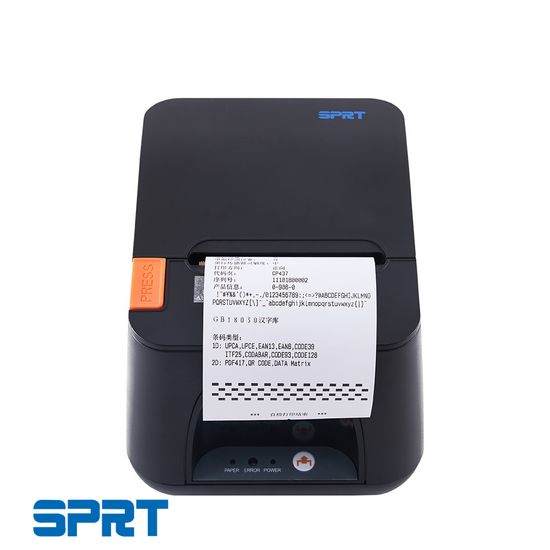


For high-volume environments, prioritize print speed, typically measured in millimeters per second (mm/s); a speed of 250mm/s or higher is recommended to reduce customer wait times. Additionally, verify the auto-cutter lifespan, which should exceed 1.5 million cuts, and the thermal print head (TPH) durability, ideally rated for 150km of paper or more. Ensure the printer supports multiple interfaces such as USB, Ethernet (LAN), and Serial to guarantee compatibility with various POS systems.
Compatibility is critical. Confirm that the printer supports standard ESC/POS command sets, which are the industry norm for receipt printing. Check for driver availability across different operating systems, including Windows, Linux, Android, and iOS (SDK). If you are using cloud-based POS software, look for models with DHCP support and cloud-print capabilities. For mobile setups, ensure the device features Bluetooth 4.0/5.0 or Dual-band Wi-Fi for stable wireless connectivity.
To ensure safety and legal entry into global markets, the product must carry CE (Europe), FCC (USA), and RoHS (Environmental) certifications. For specific markets, look for CCC (China), BIS (India), or UKCA (UK). Furthermore, ensure the power adapter is certified (e.g., UL or GS) to prevent electrical hazards, and verify that the device meets electromagnetic compatibility (EMC) standards to avoid interfering with other electronic equipment in the store.
Thermal printers are ideal for front-end retail and hospitality due to their silent operation, high speed, and lack of ink/toner requirements. However, for kitchen environments where heat might discolor thermal paper, impact (dot matrix) printers are preferred as they use ribbons and can print on multi-part (carbonless) paper, making them resistant to high temperatures and grease.
The primary risks include inconsistent print quality and DOA (Dead on Arrival) units. To mitigate this, always request a sample for stress testing before placing a bulk order. Use third-party inspection services to verify the batch quality before shipment. On Made-in-China.com, prioritize Audited Suppliers who have undergone rigorous on-site verification by independent bodies like SGS or TÜV Rheinland.
Focus on the Total Cost of Ownership (TCO) rather than just the unit price. Negotiate for spare parts (e.g., extra cutters or print heads) to be included in the shipment, which can reduce long-term maintenance costs. Ask for tiered pricing; for instance, a 10-15% discount is often achievable when moving from 100 units to 500 units. Additionally, negotiate a warranty period of at least 12-24 months with a clear policy on defective unit replacements.
Printers contain sensitive mechanical and electronic parts. Ensure the supplier uses double-walled corrugated export cartons with custom-fit EPE foam inserts to prevent vibration damage. For sea freight, request moisture-proof packaging (silica gel packets and plastic wrapping) to protect against humidity. Clearly define Incoterms (e.g., FOB or CIF) in the contract to establish exactly where the risk transfers from the seller to the buyer.
Always use secure payment channels provided by reputable platforms. Utilize Made-in-China.com's Secured Trading Service, which acts as an escrow, ensuring that payment is only released to the supplier once you confirm the receipt and quality of the goods. Avoid direct wire transfers to private bank accounts; always ensure the bank account name matches the registered company name of the supplier.